Family Safe Media Homepage

How Much Time Does Your Family Watch TV?
 

Search


What's New

MobiCam AV Baby Monitor
Kill a Watt Energy Monitor
Black Box For Your Car

Television

Time Management Tools
TVGuardian
Profanity Filters
Weemote
Channel Blocker
PowerStop Power Plug Lock
V-Chip
TiVo KidZone

Movies

Filtering DVD Players
Edited Movies

TV Guardian
Profanity Filters
Weemote dV

Computer

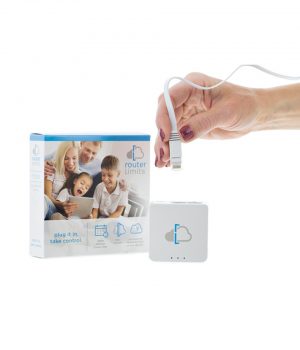
NetProtector Lock
Internet Filtering
PowerStop Power Plug Lock
Time Managers

Software

Internet Filtering
Computer Monitoring
Spam Filtering
List All

Automotive

CarChip Pro
HitchSafe

Telephone

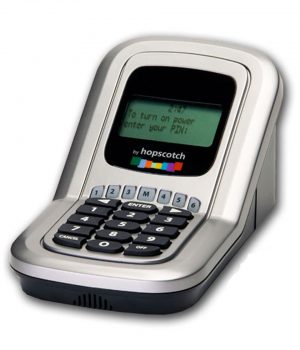
Firefly Prepaid Mobile Phone
Phone Manager

Safety

MobiCam Baby Monitor
CarChip Pro
HitchSafe
PowerStop Power Plug Lock
IamBigBrother
Safety Kids Education

Accessories

Digital Audio Coaxial Cable
S-Video Cable
Multi-Port Device Switch
Easy Jack Phone Jack
Extended Warranty
USB Extension Cable
Cable Locks
Video Converter
RF Modulator

Clearance
Home

Newsletter

Add your E-mail address in the space below and then click Subscribe.

Refer-a-Friend


TV Time Managers


ChristeningDay.com
Best Christening Gowns and Suits Available Now

life.lock

TryOnlineBackup_gw


 Home  |  Show Basket  | Search  |  My Account   |  Help 

Preserving Family Values in a Media Driven Society

Enter To Win a TV Guardian DVD Player

How Safe is Buying Online?

Actually, it is much safer than you may think!

This site has implemented a security certificate. This is a very safe way to pay for products on the Internet because any information you submit is encrypted with powerful technology.

Most all browsers support security features to help you see our page encryption. If not (or if you are still not convinced), you can use one of the other order options: toll free call (800) 828-4514, fax, purchase order, or mail. We would be glad to take your order any way you chose.
 

How do I know if an area is secure?
Our site's order gathering and processing area is secure. There are several ways to confirm that you're in a secure area. All SSL capable browsers have a symbol to indicate secure mode. Specifically:

Browser

Symbol Location

Normal (Insecure) mode Symbol

Secure Mode Symbol

Netscape 1.2, 2.0 and 3.0

Lower left

 Broken Key

 Complete Key

Netscape Communicator (4.0)

Lower left

 Open Lock

 Closed Lock

Microsoft Internet Explorer & Mozilla Firefox

Lower Right

NONE

 Closed Lock


HACKER SAFE certified sites prevent over 99.9% of hacker crime.
 

Refer-a-Friend


TVGuardian - Profanity Filter | V-Chip Devices | Internet Filtering
TV Allowance | Power PlugLock | Weemote

Newsletter | Privacy Policy | Return Policy | Affiliate Program


Family Safe Media
(800) 828-4514
Contact Us

Family Safe Media's Privacy Statement

© 1998 - 2009 Nextphase, Inc. d.b.a. Family Safe Media
 

BizRate Customer Certified (GOLD) Site